介绍
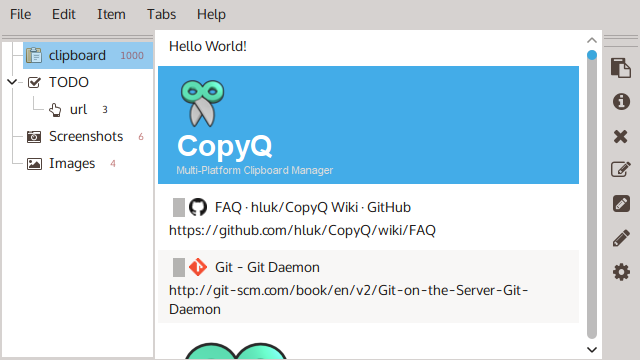
CopyQ 是一款开源的、跨平台剪贴板管理工具,支持 Windows、macOS、Linux,可以帮你管理保存在剪贴板中的多个文本、图像、HTML 等格式内容,并在需要的时候快速检索,支持全局快捷键、自定义外观、标签、多标签页(分类)、编辑等功能,还支持自动运行命令,比如检测到网页链接则自动添加标签等高级功能。
软件截图
更新日志
11.0.0
Added
- Wayland: Global shortcuts are now registered using Portal if available.
- Black theme (#3142). Thanks to @FadeMind.
- Adds attributes for controlling the dialog window created via
dialog()
(#2947):.onTopmakes the dialog stay on top of other windows,.modal
makes the dialog modal (blocks interaction with other windows in the
application until closed). - Adds support showing icon font symbol in notes using
application/x-copyq-item-iconformat. - Adds support for setting colors in theme files by name. For example:
edit_bg=white.
Changed
- Temporary tabs that are not stored on disk will now not expire if
configuration changes - Pinned and locked items will not be dropped if tab size (maximum item count)
changes - The app now propagates exit code properly if it is aborted or receives a
Unix signal (SIGINT, SIGTERM). - Support for Qt older than 5.15 has been dropped.
- The build now uses Qt 6 by default. Use
cmake -DWITH_QT6=OFF ...to build
the app for Qt 5. - Windows: The application will be now hidden from screenshots and screen
recordings by default (#3165). This can be disabled using option “Hide from
screenshots and recordings”. - Logs are now stored in multiple files based on the process and the log
records have a slightly different format (start with timestamp).
Fixes
- Drops unsafe sanitizing QTextDocument fonts (#3156). Qt 6 should handle any
rich texts safely now. - Logging now does not use lock files and avoids crashes if the application
loop was not yet started. - Avoids resetting properties of a tab if it is renamed.
- Fixes setting color for item counter
- Fixes editing and providing UTF-8 text by default
- Fixes updating item preview if when window is shown.
- Fixes changing synchronization directory for a tab.
- Fixes possible crash if calling a function with unexpected function argument.
- Fixes background of the command line in some themes in FakeVim plugin.
- Fixes renaming tabs with item storing disabled.
- Avoids collapsing tab in the tab tree after it is moved.
- Fixes item counter value after moving the tab in the tab tree.
- Fixes moving tab group with items in the tab tree.
- Linux: Fixes storing the first clipboard change after starting the app and
modifying configuration. - Linux: Avoids exiting on commit data request from the session manager