介绍
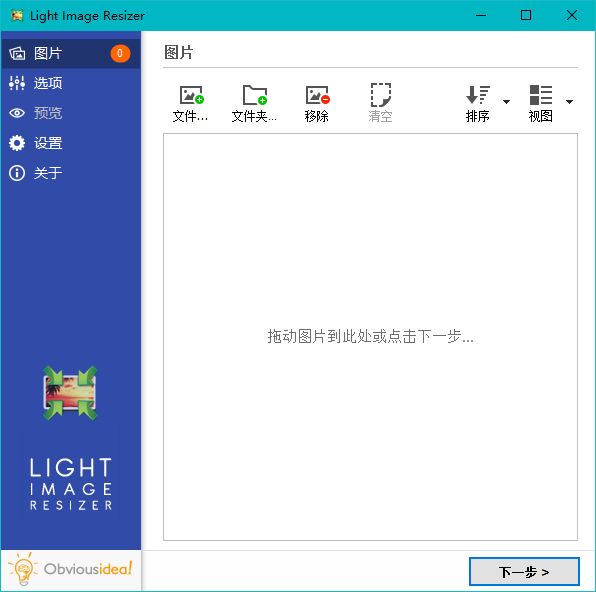
Light Image Resizer,批量调整图片大小工具,图片批量添加水印,批量转换图像格式、调整图片大小、缩放裁剪,图片格式转换、重命名,排序;添加效果,旋转,自定义元数据,优化压缩图片,移除图片背景。
软件截图
更新日志
- Context menu integration for Windows 11 is here!! Right-click your images from the file explorer
- Now includes Light Image Editor with features like adding text, highlight, blur, shapes, and much more…
- In this new app coming with LIR7, you can make screenshots easily with OCR applied (ideal for screenshots)
- Profiles have been reset with new names, easier to use like 1k, 2k, 4k, or with a file size target (256Kb, 1Mb, 2Mb or your own file size requirement) (old profiles are renamed LIR6_xx)
- Profiles are now stored as individual files in a sub-folder under user’s documents. It is synchronized with OneDrive cloud account so you can use your profiles between your desktop and laptop.
- Incremental search in profile list by typing initial letters
- Option to split long images to several pages for Create PDF action (see PDF tab)
- PDF, JPEG or any photo can be a source for a OCR task (side file or in metadata). This makes your JPEG searchable by keywords in your local Windows search.
- Output/convert images to HEIC format (a popular format supported by Apple for iPhone and MacOS)
- Lossless compression option for WebP output
- Watermark text tags for original file size, extension, and dimensions (use your files metadata for contact sheet, captioning, documentation)
- Watermark panel has been improved, the setup package is coming with free sample of watermark with transparency.
- “Append” option for text fields in metadata properties
此版特点
* 拆包反汇编处理,解锁注册版,脱离了试用版许可证密钥依赖
* 调整选项:取消升级,取消发送匿名数据,记住窗口大小位置
* 能方便的通过批处理添加资源管理器右键菜单(需解压使用)